iOS 26 completely revamped the Phone app, one of the oldest and most iconic applications of the iPhone. Although I don't particularly enjoy phone calls, two great new features in iOS 26 made this experience much better and turned me into a big fan of the app.
The Phone app has been redesigned in iOS 26, but the best changes aren't related to design
Apple doesn't often take a hard stance on major redesigns for apps. And its track record for significant changes lately isn't very good.
For example, the Photos redesign in iOS 18 was quite controversial, and Apple had to roll back some fundamental changes. Similarly, the Mail app in iOS 18.2 was not well received.
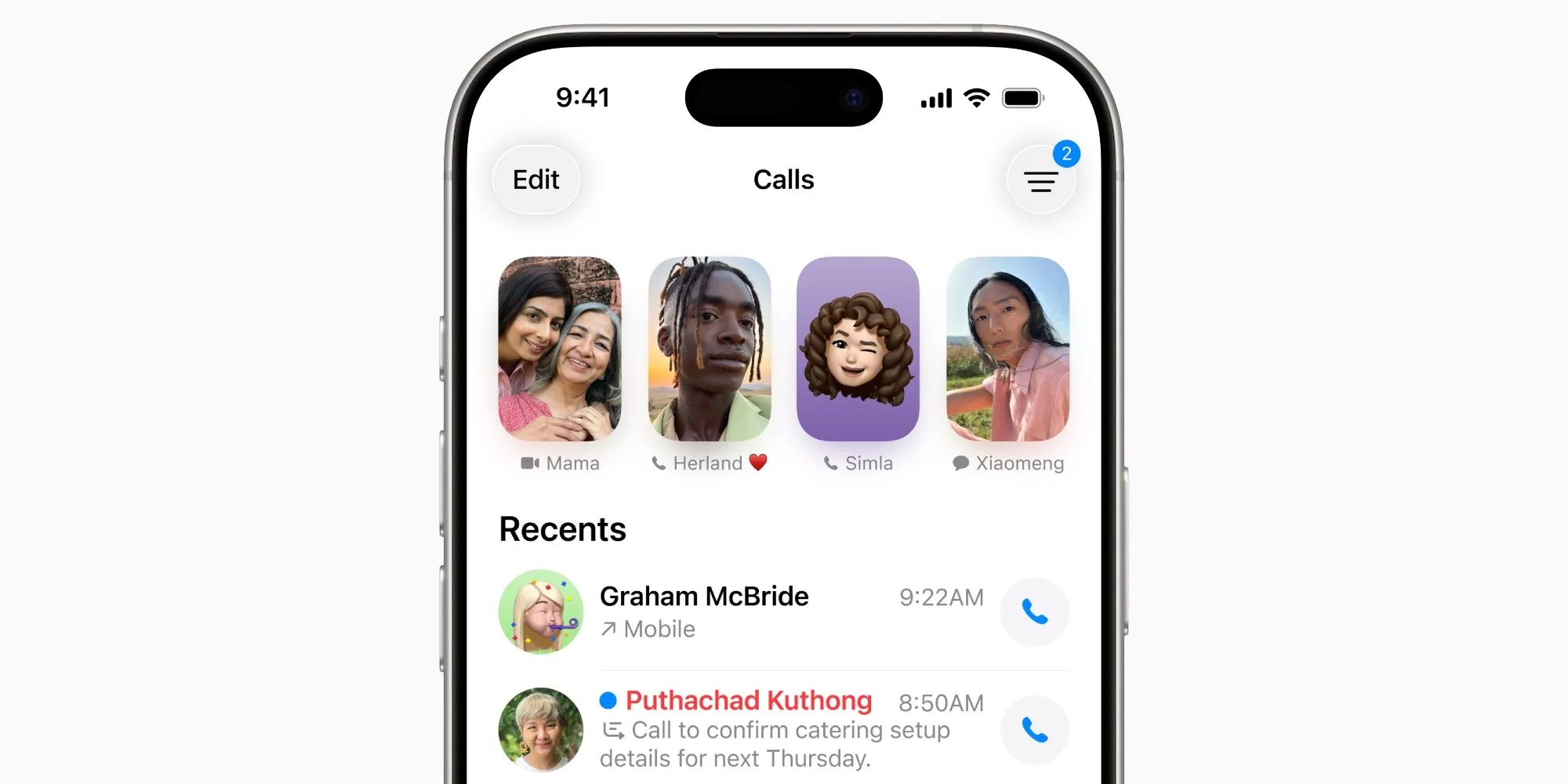
In iOS 26, the Phone app became the latest main application to be redesigned.
I wouldn't say I dislike the changes, but they didn't fully convince me either. Given Apple's experiences with Photos and Mail, I wasn't surprised that the company offered the option to revert to the old Phone design.
However, aside from my indifference to the new design, Apple's Phone app has definitely become one of my favorite updates thanks to two new features in iOS 26:
- Call Filtering
- Hold Assistance
The Call Filtering and Hold Assistance features made the Phone app in iOS 26 one of my favorite updates
Call Filtering and Hold Assistance are both optional features, so make sure to enable them. You can do this from Settings ⇾ Apps ⇾ Phone.
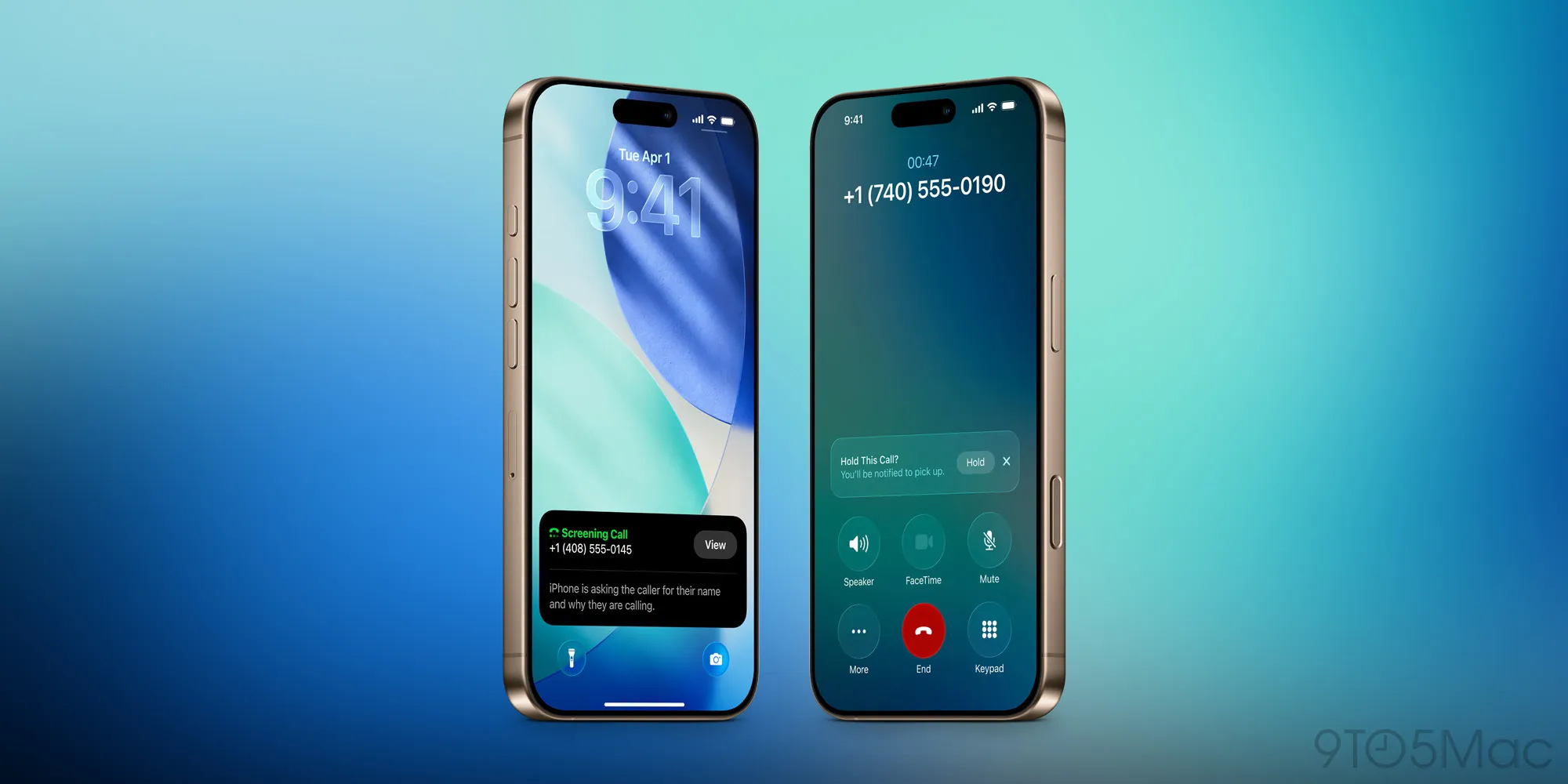
Apple offers several different options for filtering, but I chose the 'Ask for Reason for Unknown Callers' setting.
Here’s what it does: “Calls from unregistered numbers will require more information before the iPhone rings.”
This is a great change that significantly reduces spam calls. I no longer waste time rejecting telemarketer offers or get distracted by unwanted calls.
Additionally, I never have to wonder whether a call is worth answering. For important calls, my Lock Screen immediately shows me who is calling and why when the ringtone starts. And if it's a spam call, I don't even hear the ringtone.
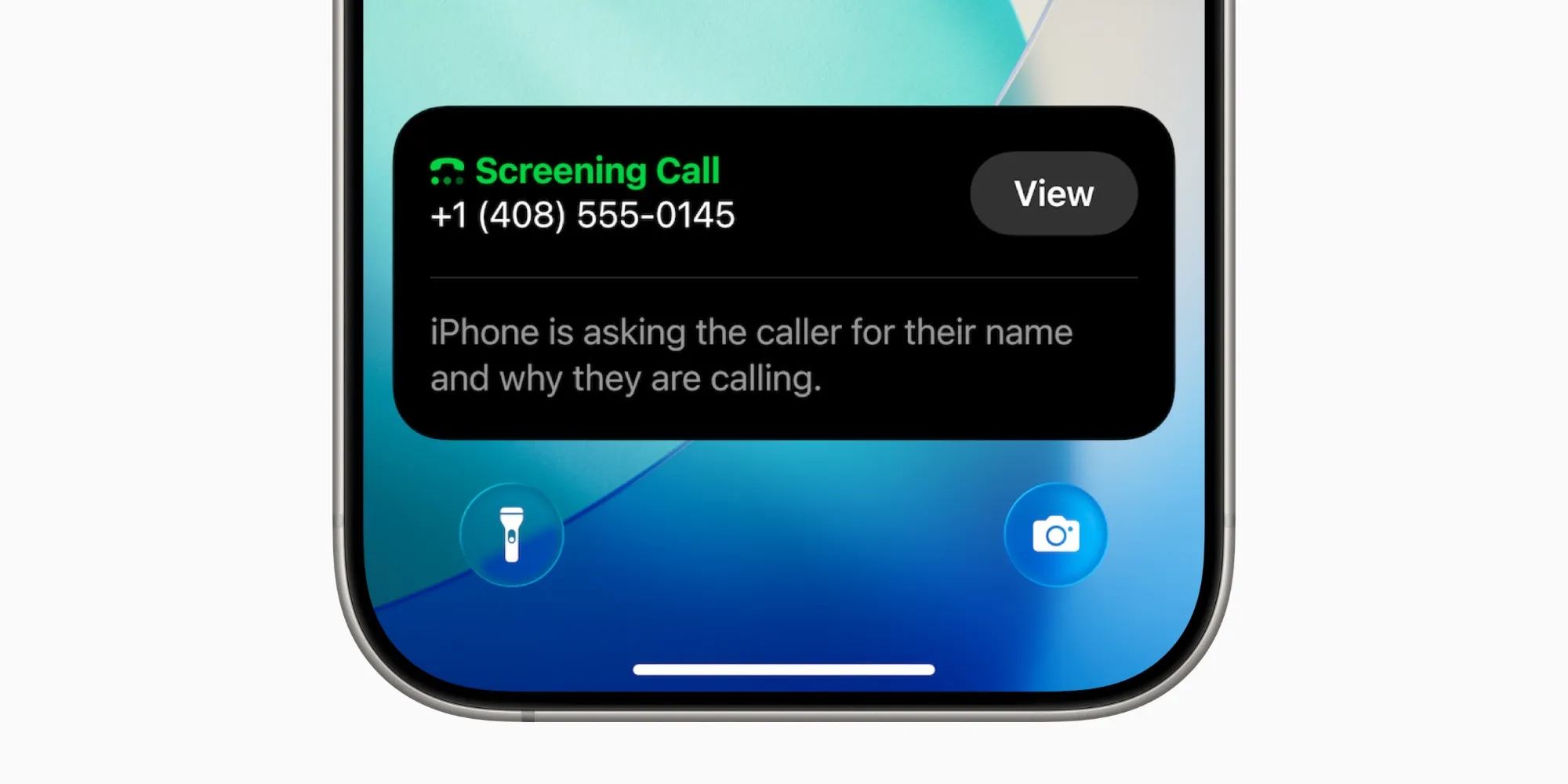
Hold Assistance is another great addition that reduces the feeling of being on hold forever.
You can find this in Settings as 'Hold Assistance Detection.' Apple’s description is: “Automatically detects when you are on hold, allowing you to step away. Your iPhone will notify you when it’s time to return.”
You can also manually enable Hold Assistance by clicking the three-dot icon on the call screen.
When these two features are combined with the beautiful new ringtones in iOS 26, they made the Phone app one of my favorite updates of the year.
Are you using the new Phone app features in iOS 26? How have they worked for you? Let us know in the comments.













Comments
(9 Comments)