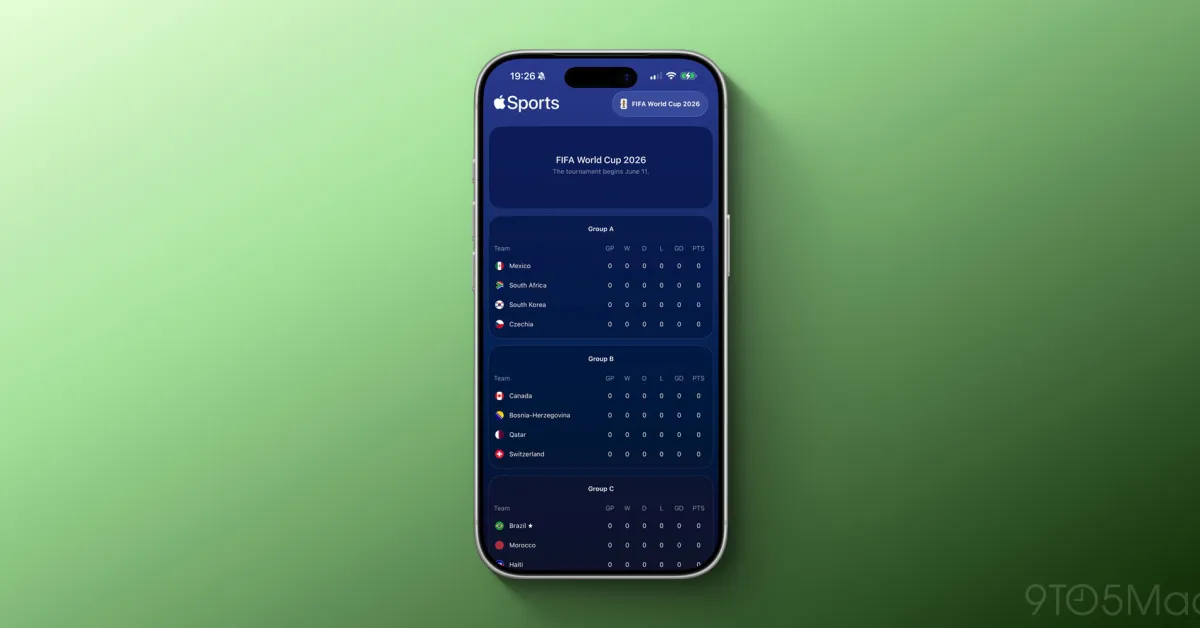
Apple has updated the Apple Sports app for the 2026 FIFA World Cup, which will kick off on June 11 at MetLife Stadium in New Jersey. Here’s how you can follow your favorite teams.
How can you follow your favorite teams with Apple Sports?
Apple Sports allows users to track real-time scores and statistics through their favorite teams and sports. This information can be viewed instantly via Live Activities on the Lock Screen and Dynamic Island.
The app supports a variety of sports leagues, ranging from racing to tennis, football to basketball, and baseball. These leagues are available in various regions such as the US, Mexico, Europe, and Brazil.
With the 2026 FIFA World Cup approaching, it was only a matter of time before Apple supported this tournament. This tournament will bring together 48 countries from the US, Canada, and Mexico from June 11 to July 19.
As noted by MacRumors, the 2026 FIFA World Cup is now listed in Apple Sports.
To follow the tournament, search for "FIFA World Cup 2026" in the Search interface and click the star button to add it to your "My Leagues" section.
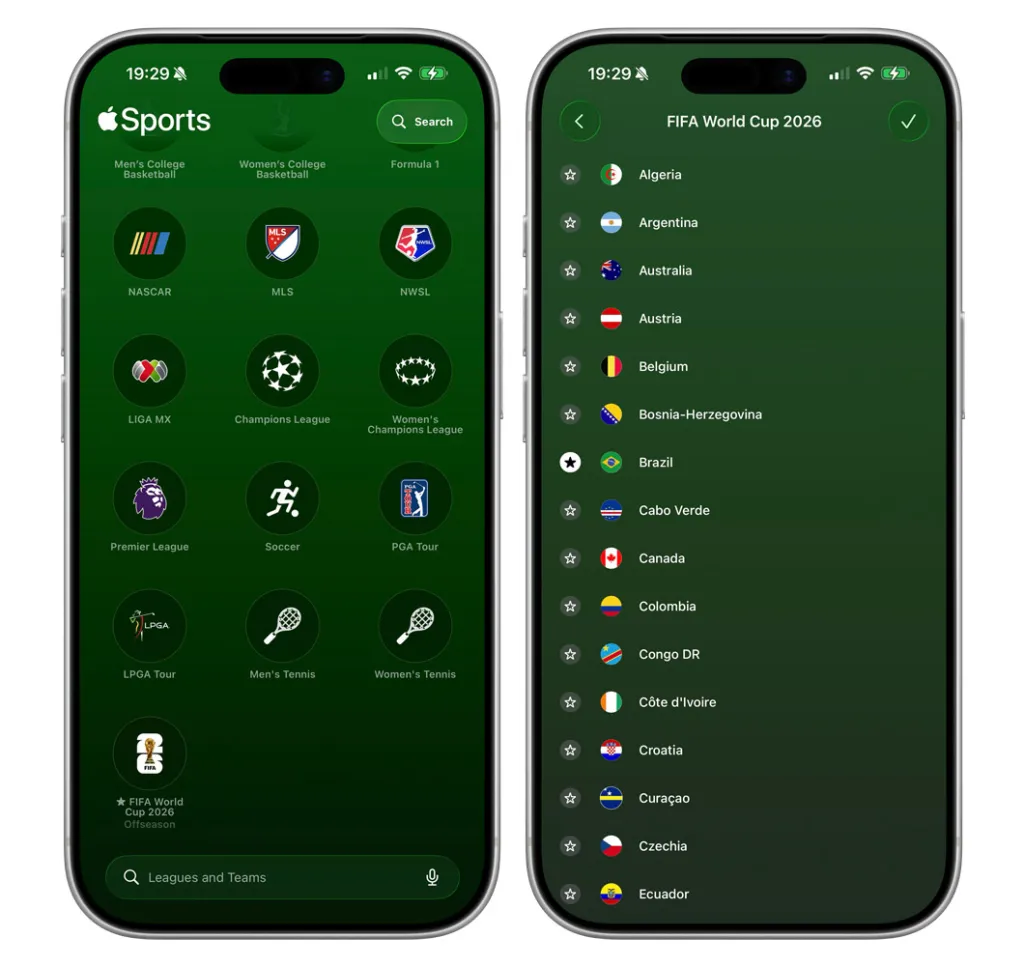
Alternatively, you can follow teams independently from the "My Teams" section. Finally, you can manage both the "My Leagues" and "My Teams" sections by clicking the "Edit" button in the top right corner of the app.
When the relevant matches start on June 11, Apple Sports will automatically display a Live Activity containing real-time information about the game. Additionally, as the tournament progresses, you will be able to track the groups and playoffs, culminating in the final match on July 19.
Download the Apple Sports app from the App Store.
Products Worth Checking Out on Amazon
- David Pogue – 'Apple: The First 50 Years'
- MacBook Neo
- Logitech MX Master 4
- AirPods Pro 3
- AirTag (2nd Generation) – 4-Pack
- Apple Watch Series 11
- Wireless CarPlay Adapter




















![User Experience: There's a Feature I Looked for in This MagSafe Battery [Video]](/resimler/kullanici-deneyimi-bu-magsafe-bataryada-aradigim-bir-ozellik-var-video.jpg)





Comments
(6 Comments)