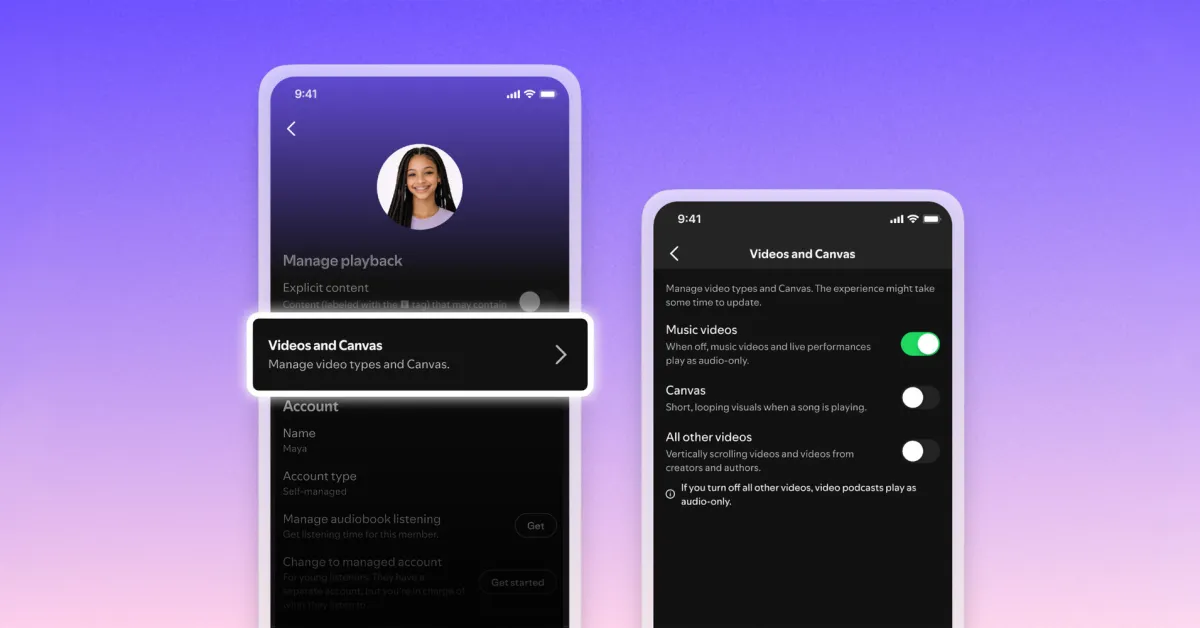
Spotify has introduced a new universal switch that makes the app completely sound-focused. No, it’s not a switch to hide podcasts and audiobooks, but it turns off almost all videos.
Spotify Brings Video Control for Everyone
Spotify suggests that users wanted a way to disable video features to make the app less distracting and to focus more on audio listening.
Therefore, the app is adding Video and Canvas controls to turn off different types of videos. This was already available as a parental control feature for younger users.
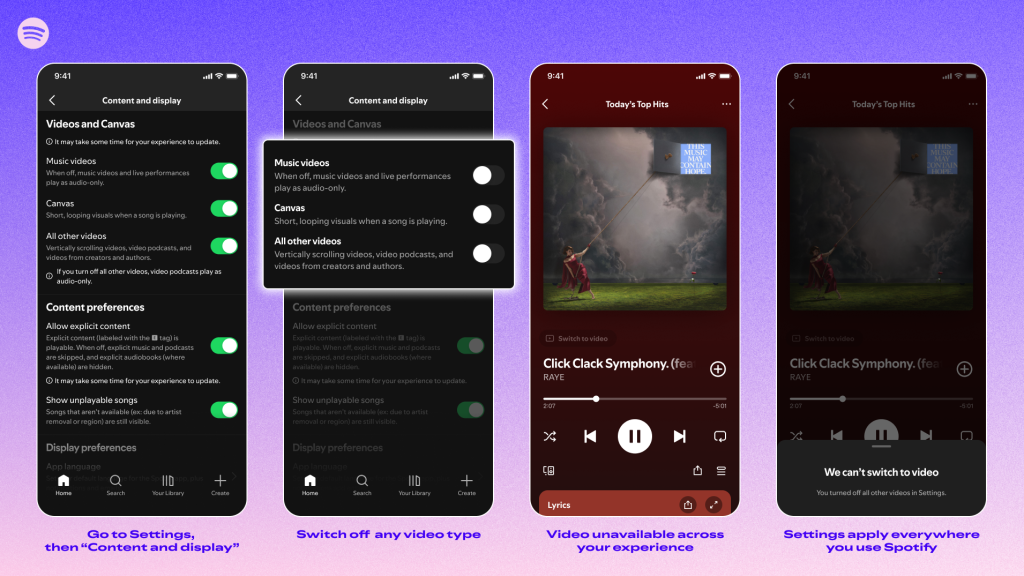
Users can disable music videos, which transforms live video performances into audio streams only. Canvas is a separate switch that disables the "short, looping visuals" that appear while music is playing.
And ultimately, there is a control for "All other videos"; this includes vertical videos and creative videos, including video podcasts. When turned off, these will play only as audio.
More from Spotify's announcement today:
Starting today, it is rolling out globally, Family Plan managers will be able to turn video content on and off for any plan member through subscription settings. […]
Additionally, all Premium and Basic users—those on Individual, Duo, Family, or Student plans—and all users on our free service will be able to control how videos appear in their apps. The settings update will begin rolling out to all users worldwide this month.
The new controls can be found in Spotify’s Settings > Content and Display > Videos and Canvas section. Spotify states that the switch will not affect video ads and that some ads will still contain Canvas-like moving visuals.
Do More with Your iPhone
Apple AirTag 2 | Add Find My tracking to anything
Beats USB-A to USB-C Cable | Official CarPlay cable
Wireless CarPlay Adapter | No more plugging in required
AirPods 4 | Apple’s most affordable AirPods with ANC








































Comments
(4 Comments)