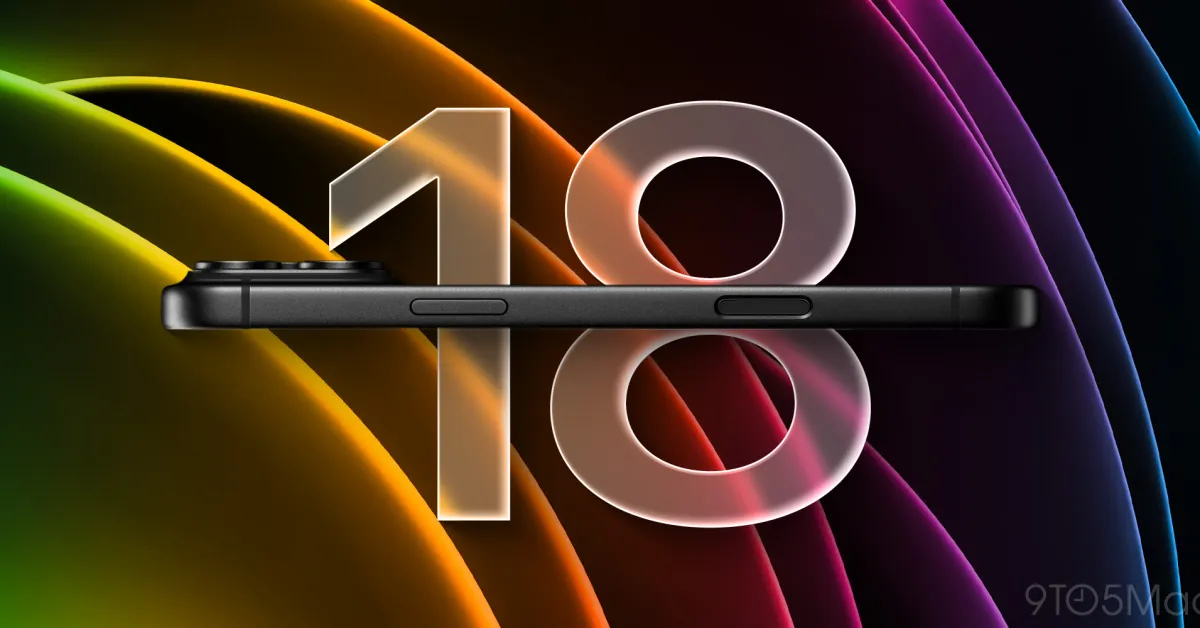
iOS 26.4 is currently in beta testing for developers and public beta users. This update adds a range of new features to the iPhone, including Apple Music, Apple Podcasts, Messages, and more.
Here are all the new iPhone features in iOS 26.4 and everything you need to know.
iOS 26.4 Details
iOS 26.4 is currently available in beta for developers and public beta users. The latest iOS 26.4 beta 3 is the most recent version, with a new release expected soon.
iOS 26.4 is expected to be released for everyone by the end of March or the beginning of April, as my colleague Ryan previously noted. For example, iOS 18.4 was released on March 31.
iOS 26.4: New Features
Apple Music
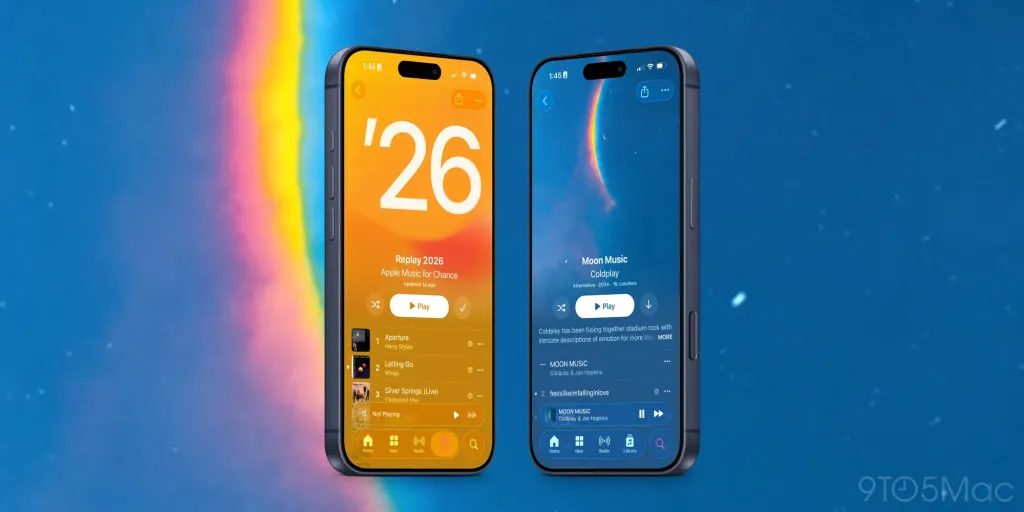
Apple Music is a major focus in iOS 26.4, adding a range of new features and design changes:
- Concerts: The ability to find nearby concerts and tour dates for artists in your Apple Music Library.
- New full-screen artwork that “brings your music to life” for albums and playlists.
- A redesigned “Profile” section that provides easier access to manage your account, subscriptions, and more.
- Support for adding a song to multiple playlists at the same time.
Playlist Playground
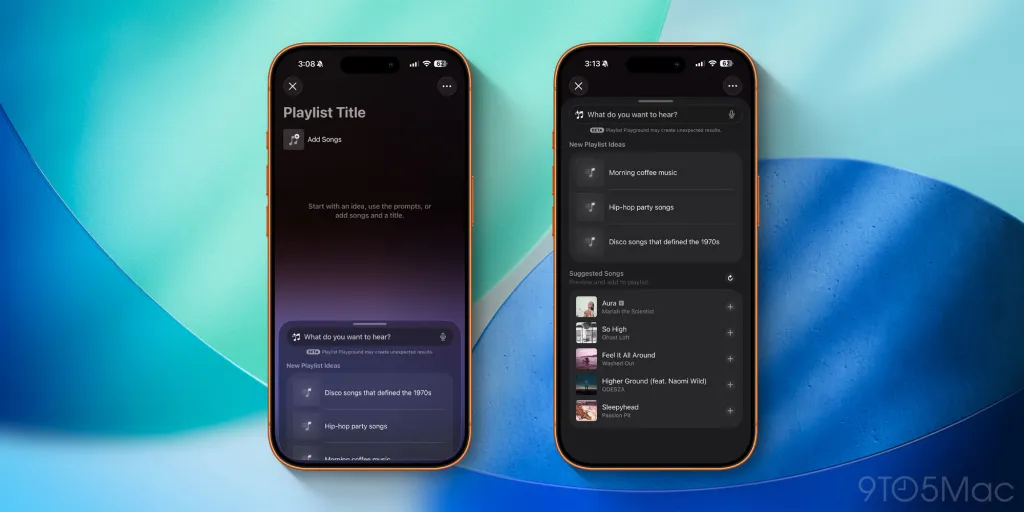
Additionally, iOS 26.4 introduces a new Playlist Playground feature in Apple Music. This allows you to create playlists by simply providing text descriptions. For example, you could write something like “sad songs from the 90s for a rainy day,” and Apple Music will automatically generate a playlist based on that request.
When Playlist Playground creates a playlist, you can continue working on it with more prompts without restarting the process.
This feature is still in beta, so it’s not perfect. Still, it’s an example of how Apple has integrated Apple Intelligence throughout the iPhone experience.
Read more: iOS 26.4 beta adds new ‘Playlist Playground’ AI feature for Apple Music
New Widgets
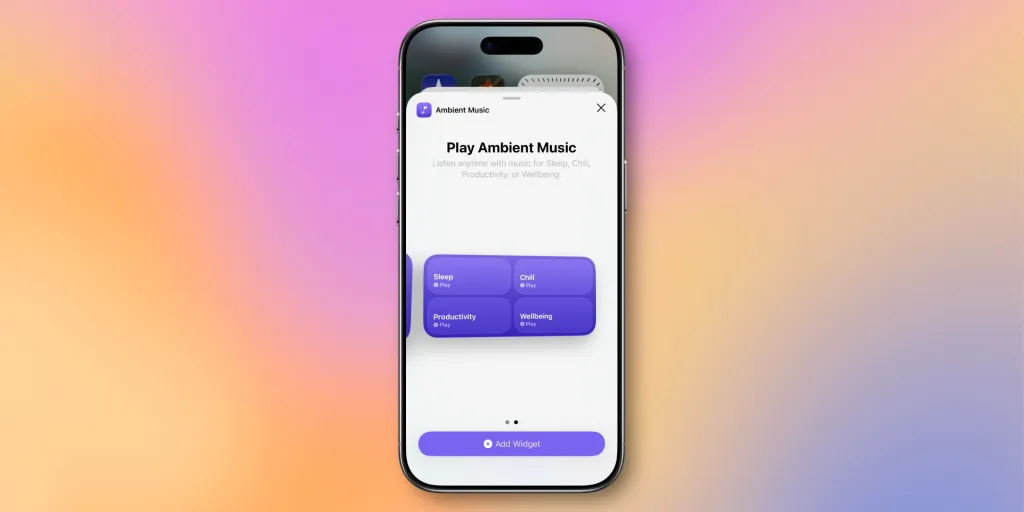
iOS 26.4 adds a new collection of Ambient Music widgets that you can add to your iPhone's Home Screen. This allows you to easily start playing music that fits one of four moods:
- Calm
- Productivity
- Sleep
- Feel Good
The widget is available in small and medium sizes.
Reminders App
In iOS 26.2, Apple added a new “Urgent” definition for tasks in the Reminders app. When you mark a task as urgent, the Reminders app will also set an alarm to remind you.
iOS 26.4 enhances this feature by adding a new Smart List that includes all tasks you’ve marked as urgent.
RCS Encryption in Messages
Last March, Apple announced plans to add end-to-end encryption support for RCS messages.
iOS 26.4 adds support for testing this feature. After updating to iOS 26.4 beta 2, iPhone users can go to Settings > Messages > RCS Messaging to look for the new “End-to-End Encryption (Beta)” toggle — this should be enabled by default.
Also, when you send a message to someone with RCS encryption enabled, you will see a new lock icon in the chat thread. This icon will also appear in iMessage threads, as iMessage has supported encryption since 2011.
However, Apple states that RCS end-to-end encryption will not actually come with iOS 26.4. Instead, it is included for testing purposes in this beta release, and Apple indicates that it will be available in a future iOS 26 update.
Apple Podcasts
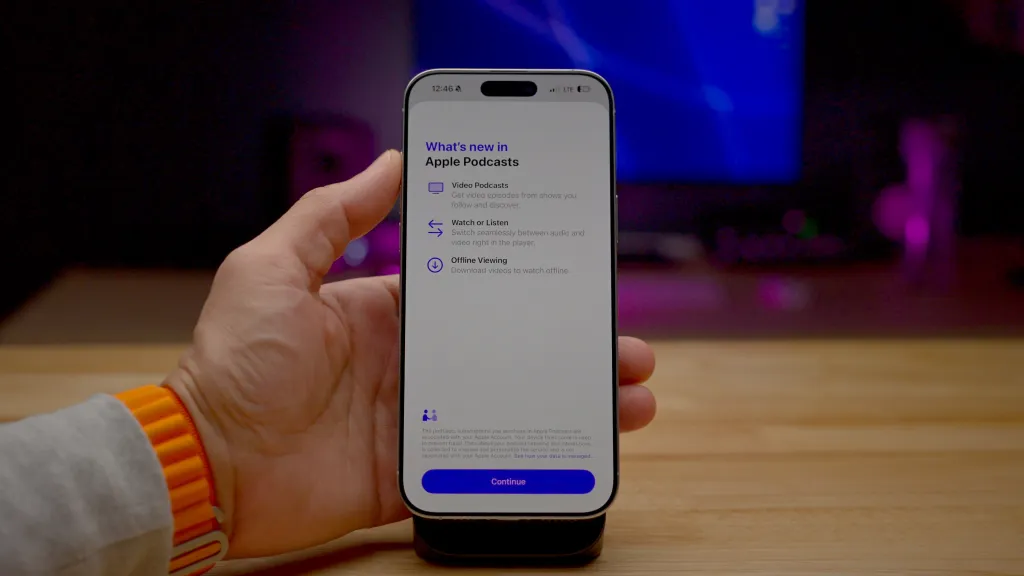
iOS 26.4 brings a major update to Apple Podcasts with new “enhanced video podcast capabilities.”
This innovation simplifies switching between video and audio podcasts. The features are powered by Apple’s HLS technology, which can automatically adjust quality based on network conditions.
Apple is also adding support for dynamic video ads in Apple Podcasts with iOS 26.4.
Read more: Apple Podcasts app gains ‘enhanced video podcast experience’ in iOS 26.4
Apple Health
iOS 26.4 adds more Sleep and Vital data to the Apple Health app. The average sleep hour metric allows you to track last night’s sleep hours for comparison.
Blood Oxygen readings have also been added back to the Vital graph. This comes after Apple released a “redesigned” version of the feature during an ongoing patent dispute last August.
Read more: iOS 26.4 adds more Sleep and Vital data to Apple Health
Stolen Device Protection
Stolen Device Protection is now enabled by default in iOS 26.4. When this feature is enabled, you will need to authenticate with Face ID to perform certain tasks when you are away from trusted locations (like home and work). It also includes a time delay for second biometric authentication for certain sensitive operations.
Before iOS 26.4, Stolen Device Protection had to be manually enabled by iPhone users.
More iOS 26.4 Features and Changes
- In the App Store and Games apps, Apple moved the Search bar back to the top of the Search tab. The tab is also now integrated into the navigation bar below instead of separating into its own floating circle.
- The Wallpaper Gallery has been redesigned with more differentiation between the various categories of options available in iOS 26.4.
- The Apple Watch face gallery has been redesigned with more differentiation between the different options.
- iOS 26.4 adds a new “Reduce Highlight Effects” option in the Accessibility menu of Settings. This toggle should reduce the highlighting effects around buttons, sliders, and app icons, but it is not fully functional yet.
- When your iPhone is in Dark Mode, the menu pop-ups in Control Center will now also be shown with a dark background.
- Freeform Creator Studio is now active for subscribers.
- iOS 26.4 adds a new iCloud setting that allows users to search for Photos and iCloud Drive content on iCloud.com.
iOS 26.4 Review
Apple is likely planning to make more changes in iOS 26.4 while beta testing continues. In the meantime, what is your favorite change? What do you think of the new features in Apple Music? Share with us in the comments.
My favorite iPhone accessories:
- Built-in screen Anker Nano USB-C wall charger
- CardPointers: Maximize credit card rewards (exclusive 30% savings)
- Charge all your Apple devices at once
- Bring wireless CarPlay to any vehicle
- USB-C cable that shows your charging speed
Follow Chance: Threads, Bluesky, Instagram, and Mastodon.














Comments
(9 Comments)