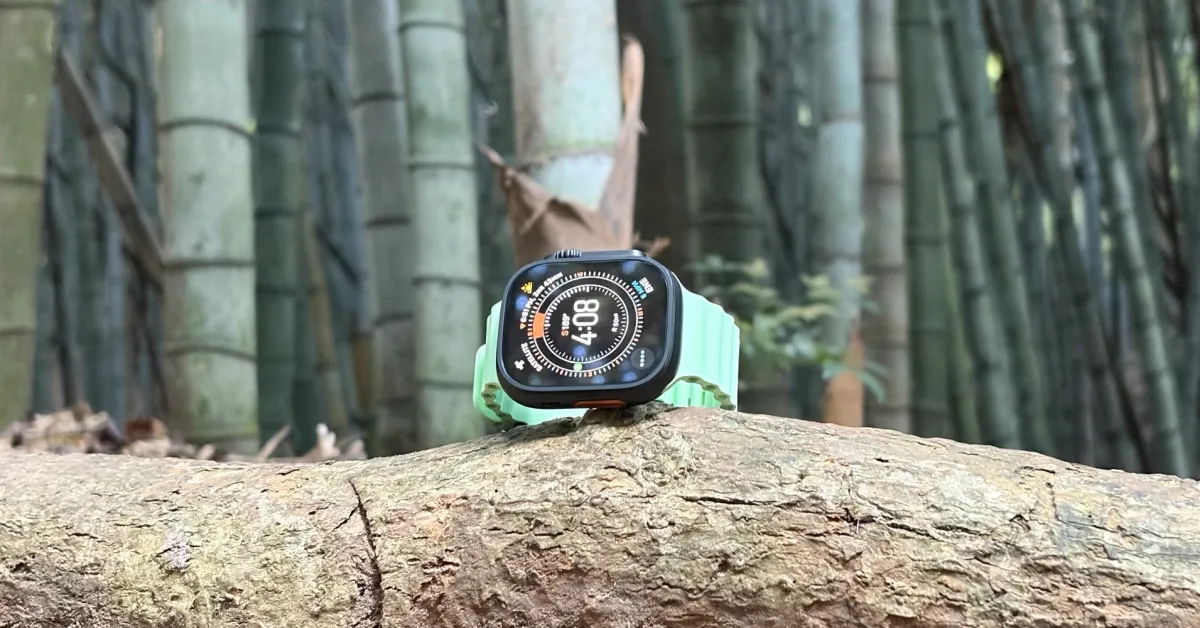
My new favorite Apple Watch and Apple Health measurement is a feature that has been quietly working in the background for years. Specifically, a hidden Apple Watch feature for tracking a great healthy habit: Time Spent in Daylight.
Apple Health Automatically Tracks Time Spent in Daylight Using Your Apple Watch
Time Spent in Daylight came as a measurement in the Health app as part of iOS 17 in 2023. With watchOS 10, the Apple Watch began to automatically track Time Spent in Daylight just by wearing it.
This feature measures your ambient brightness using the watch's ambient light sensor. There is no app to install or tracking mode to activate (you can optionally disable it).
“Time Spent in Daylight is an estimated measure of time spent in sunlight,” explains Apple in the Health app. “When unobstructed, the Apple Watch can automatically record an estimated amount of Time Spent in Daylight in the Health app.”
Finding Time Spent in Daylight Data in Apple Health
Since this measurement can go back to June 2023, you may have years of Time Spent in Daylight data. If you are wearing an Apple Watch, the Time Spent in Daylight data will automatically appear in your Apple Health app.
It only takes a few steps to check:
- Open the Health app on your iPhone or iPad.
- Tap the magnifying glass icon to search.
- Type "daylight" in the search field.
You can also find Time Spent in Daylight in the Mental Wellbeing or Other Data sections on the Health Categories search page.
After tracking the minutes and hours of Time Spent in Daylight, it was interesting to rediscover this data.
Reframing How Apple Watch Tracks Healthy Habits
Since spending time in sunlight has positive effects on physical and mental health, the biggest insight is quantifying healthy habits that are not just related to exercise.
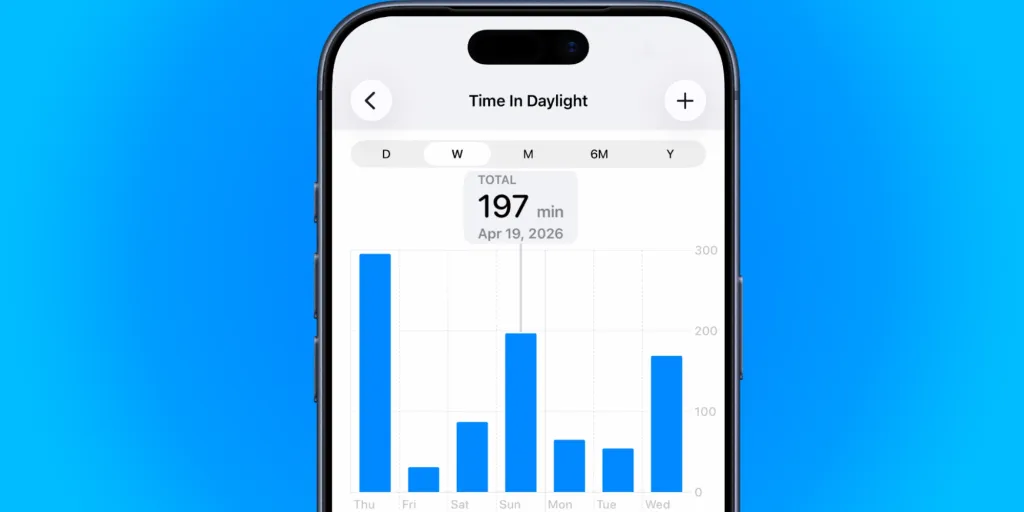
For example, my highest Time Spent in Daylight in the past week did not come from walking to the beach or cycling over the weekend. Outdoor activities on Sunday ranked second.
However, the highest and third highest days in the past week were the days I took my MacBook Air outside and wrote for a few hours, which also earned me more Time Spent in Daylight.
For me, quantifying Time Spent in Daylight with my Apple Watch is currently a key unlocking method that I truly appreciate, especially while trying to optimize a consistently positive mood.
This is a way to give myself credit beyond just reflecting my healthy choices in exercise minutes.
For More Reading on Apple Watch and Apple Health:
- Apple Watch sleep score became more useful for me with these settings
- Apple at 50: How the company's shift to health changed my life at 25
- Review: Apple Watch Ultra 3 connects while extending Series 11’s battery
You can find the new Apple Watch Series 11 for $299 today on Amazon.












![The Best (and Worst) Apple Products of the Tim Cook Era [Video]](/resimler/tim-cook-donemindeki-en-iyi-ve-en-kotu-apple-urunleri-video.jpg)





Comments
(4 Comments)