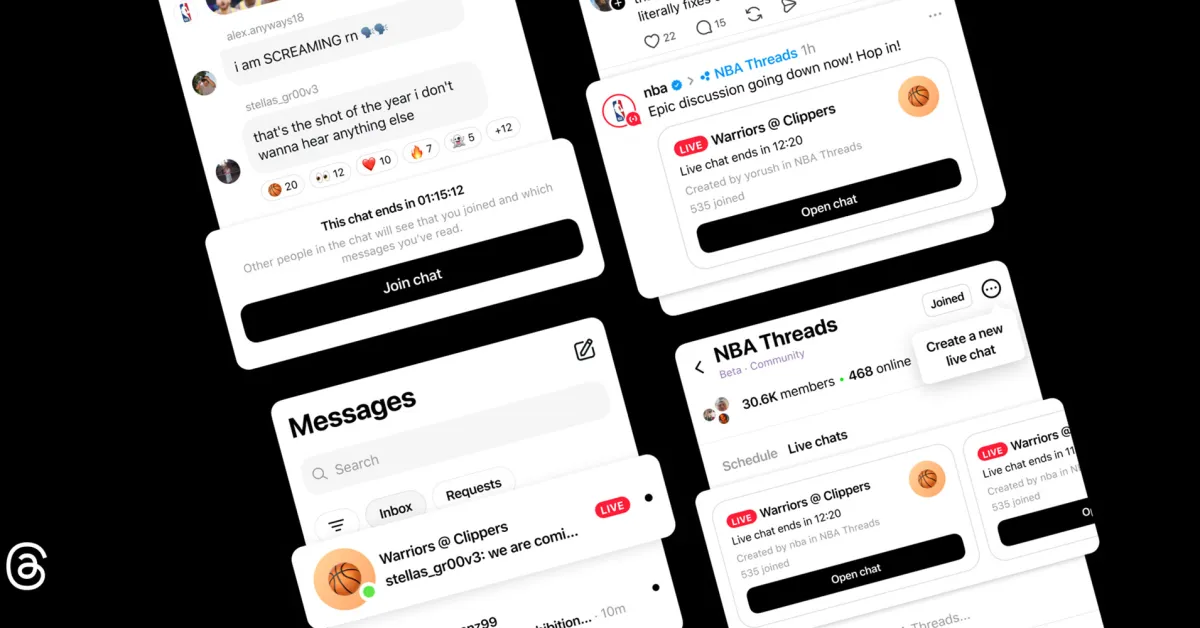
With the new Live Chats feature, Threads users can participate in public, real-time group chats created around major live events. Here are the details.
Threads Enhances Community-Focused Interaction
Threads announced the Live Chats feature today. This feature resembles a mix of classic group chats and trending topics.
With Live Chats, users can join public group chats during live events like an NBA game and engage in real-time conversations with other viewers.
When you join a chat, you can send messages — including photos, videos, and links — and tap on reaction emojis to express your feelings. If the chat is full, you can still follow the conversation, react to messages, and participate in polls.
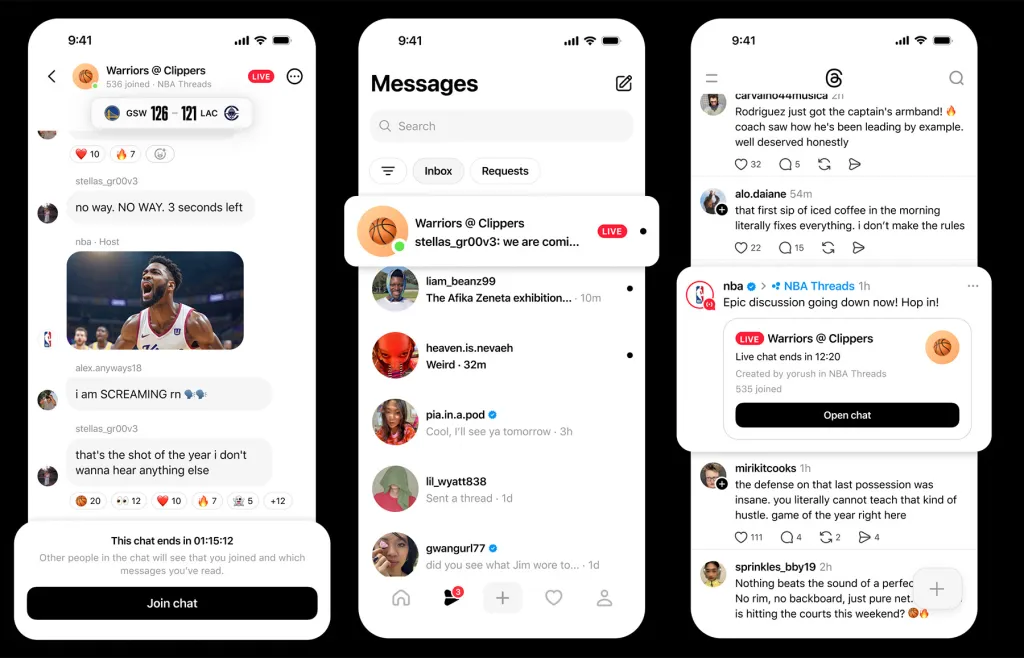
Currently, only a small group of content creators and Community Champions can host Live Chats. However, once they do, they become publicly discoverable and accessible even after the session ends.
According to Meta, eligible users can start a Live Chat by doing the following:
Eligible hosts can schedule a Live Chat by tapping the three-dot menu icon in the upper right corner of their Community and selecting the Plan Live Chat option. From here, you can give your chat a name, select a start and end time, and invite people. You can also announce your Live Chat by sharing it to your Threads feed and Instagram Story.
Ongoing and upcoming live chats are listed at the top of communities like NBA Threads. When a user joins the chat, they can access it from the Messages tab, similar to other one-on-one or group chats in the app.
To learn more about the new Live Chats feature on Threads, you can follow this link.


















![Apple collector showcases 50 years of Mac startup sounds [Video]](/resimler/apple-koleksiyoncusu-50-yillik-mac-acilis-seslerini-sergiliyor-video.jpg)













Comments
(5 Comments)